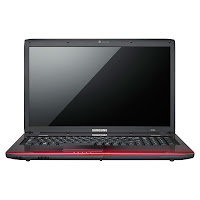
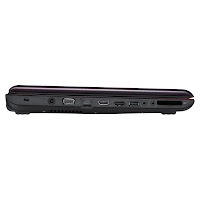
Releasing hardware meant to rival a specific Apple product is no simple task. It took Microsoft years to come up with a worthy opponent for the iPod in the Zune and by the time they did the Mp3 player had already become ancient history. Here we have Samsung releasing the 13-inch Series 9 meant to compete against the comparable Macbook Air. The Air is no stranger to competition, seeing the Dell Adamo series rise and fall without a wink of worry. At $1649 does the Series 9 stand up to the product it was bred to face? Read on to find out…
Specifications
- 2nd Generation Intel Core i5-2537M CPU
- 4 GB of DDR3 type RAM
- Microsoft Windows 7 Home Premium 64-bit Edition
- Intel HD Video Graphics 3000 Dynamic Video Memory Technology 5.0
- Screen Resolution: 1366 x 768
- 128 GB SSD
- 2.9 lbs
Outside
Samsung makes no attempt to conceal its intentions to beat the Air at its own game, which is apparent from the moment you lay eyes on the unopened Series 9. The star of the show is the duralumin that the outer laptop casing is made out of. The metal, which sounds like it comes straight out of a comic book hero’s origin story, was appropriately formerly only used for high altitude jet engine design. The brushed black finish certainly does feel like what I imagine the side of a stealth bomber is like.

As far as texture goes there’s hardly a difference between it and the aluminum unibody of the Macbook Air. Yet considering the Series 9 weights a whopping .12 ounces less than the Air, duralumin does seem to live up to its name and reputation; you can hold the entire unit from the corner with just your thumb and index finger.
Similarly to the Macbook Air, the Series 9 hovers around sixth-tenths of an inch at its thinnest point. While as wispy as the Air – refusing to give into abrupt corners and large rounded edges in favor of tapered teardrop turns – the Series 9 does come short of the razor’s edge latch-side synonymous with the Air’s profile. Instead the Series 9 features a duck-billed look to its lid that is most certainly an attempt to distinctly separate itself from the main competition.
Samsung has cleverly hidden away ports inside dual pop-out cubbies on either side of the Series 9. The left compartment holds a 3.0 USB port, a single Ethernet port, and one mini HDMI port. The right compartment contains one 2.0 USB port, a miniSD card reader, and the standard 3.5mm headphone jack. It’s a nifty saver of space, and personally I always like to see the nooks and crannies of these ports hidden away from the surface. It cuts down on dust and the chance of grit and grime getting wedged into the tight spaces of these ports, which can damage the components.
Samsung has chosen to loop the back edges of the side of the closed Series 9 with a white-silver band to give the unit a futuristic color contrast. This removes any chance for the Series 9 to possess the utilitarian uniformity of Apple notebook design. But I don’t think Samsung was trying to imitate that part of the Air to begin with, opting instead to compete with an alternative design meant to do its own thing. Part of me senses however that the public really digs the homogeneously minimalist style of Apple products. This forces competitors nearing Apple’s perfectionist ideal to have to give their
Inside
Don’t leave the Series 9 at a crime scene because you’re going to coat the upper interior corners with fingerprints every time you open, close, or adjust your Series 9. That’s on account of the fact that unlike the majority-Duralumin exterior the interior sections are constructed with hardened plastic of similar color and feel. The mischievous misrepresentation of a unibody wouldn’t be a big deal if it weren’t for that hefty price tag and the fact that you see no such shenanigans from the cheaper Air.
The big single-piece touchpad is in fact a few millimeters smaller than the one on the Air. Personally I preferred that. It kept my palms from accidentally rubbing against the touchpad and causing the cursor to react wildly as a result. For being a buttonless touchpad manufactured by Samsung I have to say it worked remarkably well and tolerated my habit of failing to lift my non-operating finger off the pad.

The keyboard is island style a ‘la Air and felt solid enough despite once again not meeting my expectations in accordance to the cost of the laptop. It’s virtually identical to the keyboard of the Series 5 Chromebook, which says something considering that model is meant to be a stripped down wireless-reliant device, far from the luxury of the Series 9. With that said it’s backlit with blue LED lights, a laptop luxury that just about makes up for the unremarkable quality of the keys themselves, especially since it’s a feature not included on the Air.
Samsung’s SuperBright Plus technology comes remarkably to life on the Series 9’s 13.3. inch 1366 x 768 and through the Intel HD video graphics that come standard. One seemingly-groovy feature included with the screen’s matte display is an automatic illumination adjustor appropriate for outdoor use. However in practice it didn’t do a great job in telling when decreased exposure was the result of cloud coverage or the shadow of someone walking by’s head. While this could easily help keep the battery alive longer the erratic behavior of the adjustor resulted in it being disabled.
Performance
When it comes to performance the Series 9 doesn’t disappoint in its attempt to qualify as a Macbook competitor. It better not have, since this is where that price tag finally starts to show itself. The second generation i5 CPU makes for a lightening fast central nervous system supplying the Series 9 with impeccable power performance. This is backed up by the efficiency of a 128 gigabyte solid state drive which acts as a sort of a reservoir when the DDR3 is overworked.
Flat-out imitative of the Air is the Series 9’s fast wakeup time. It’s not quite as quick to snap from a slumber as the Air but the difference is nominal; the Series 9 wakes up in 3 seconds and the Air comes to in about 2.6 seconds. Both companies use essentially identical technology to wake their laptops up fast, but Apple did it first.
Games can be played on the Series 9 but more advanced titles will have demands that strain the limitations of the Intel video graphics that come standard. It can handle most moderate gaming but only because it’s a superior machine by design. Nonetheless its relatively modest game play capability manages to still earn it those automatic extra points any game-capable computer gets when being compared to a virtually game-less Mac unit.
Needless to say video play back is virtually flawless on the Series 9. If you were to compare it side-by-side with the Air the result would invariably be a tie whether you were running editors or recording live broadcasts. But if you were to compare components alone, the Air’s GeForce 320M graphics by NVIDIA would win.
The time from full charge to shut down added up to about seven hours and forty-four minutes. Assuming 20 minutes of that is just fresh battery smell bound to wear off within six months of use it still manages to rocket past expectations for its class as well as Samung’s very own seven-hour promise. The Air is marketed as having an identical life, though most reviews indicate that it barely breaks the seven-hour stretch.
Recommendation
Before determining which of the two between the Series 9 and Air is better, the matter of the apparent price discrepancy must be addressed:
The Series 9′s $1649 price tag includes an automatic three-year warranty. The Air’s $1300 price tag only includes one year’s worth of Apple’s elite support service and warranty program. To extend that to three years it’ll cost you roughly $250, putting the final price of both notebooks within $100 of each other.
With the similar bottom line price included, a winner is just about impossible to call. The Series 9 and Macbook Air both perform at nearly the same speed, provide the same amount of functionality, and are built with nearly identical deluxe components within. Someone having one replaced with the other would not be disappointed.
But if you won’t be able to sleep without a true “winner”, then that title would have to ultimately go to the Air. It’s slightly cheaper yet slightly faster, and Apple’s overall reputation for long-term product quality far exceeds Samsung’s sketchy history of hit-or-miss releases.
With that said, if you’re in the market for a lightweight luxury laptop then the Series 9 is probably your perfect fit. There’s just no other non-Apple product that comes close.


 (55)
(55)


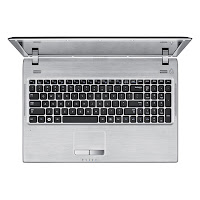 Samsung Q530-JA02 is based on Intel Core i3-380M dual-core procesor clocked at 2.53 GHz. This laptop features 15.6-inch LED display with a resolution of 1366 x 768, Intel HD graphics, 500 GB HDD, 802.11 b/g/n, Bluetooth 3.0 High Speed, 3-in-1 Multi Card Slot (SD, SDHC, MMC), two 1.5 Watt speakers, 103-key keyboard, six-cell Lithium-Ion battery, HDMI output, three USB 2.0 ports (1 Chargeable), Headphone Out, VGA, Mic-in, and RJ45 LAN.


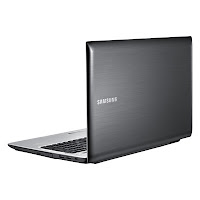
 Samsung Q530-JA01 comes with Intel Core i5-480M dual-core processor (2.66GHz with Turbo Boost up to 2.93GHz). Samsung Q530-JA01 has 15.6” LED display with HD resolution, 4 GB DDR3 memory (upgradeable up to 8 GB), 500 GB HDD, three USB 2.0 ports (1 Chargeable), RJ45 LAN, Headphone Out, VGA, HDMI output, Mic-in, 3-in-1 Multi Card Slot (SD, SDHC, MMC), 6-cell Li-Ion battery, 2 x 1.5W speaker, and Integrated 0.3 Mega Pixel webcam.