Showing posts with label mobile. Show all posts

HP 6360t Mobile Thin Client Specifications

Saturday, August 2, 2014

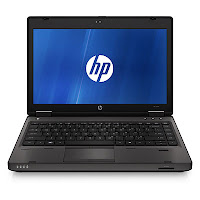
HP 6360t Mobile Thin Client
HP 6360t Mobile Thin Client is powered by Intel Celeron B810 processor, Mobile Intel HM65 Express Chipset, a 13.3” HD LED-backlit anti-glare display, Intel HD graphics, three USB 2.0 ports, one eSATA/USB 2.0 combo ports, a VGA port, and a six-cell or nine-cell battery.


HP 6360t Mobile Thin Client Specifications

Display
Diagonal Size : 13.3”
Resolution : 1366 x 768 (HD)
Technology : LED-backlit anti-glare

Graphics Card
Intel® HD Graphics

Processor
Type : Intel® Celeron® B810
Speed : 1.60 GHz
Cache : 2 MB L3

Chipset
Mobile Intel® HM65 Express Chipset

Memory
Slots : 2 SODIMM
Max : 16 GB 1333 MHz DDR3 SDRAM

Storage
Solid State Drive
From : 2 GB
Up to : 8 GB

Optical Drive
Optional DVD-ROM

Communication
LAN : Integrated Intel 82579V Gigabit 10/100/1000

WLAN :
Broadcom 802.11a/b/g/n
Broadcom 802.11b/g/n

Inputs and Controls
Full-size, spill-resistant keyboard with drains
Touchpad with on/off tap zone

Audio
HD Audio
Integrated stereo speakers
Integrated microphone
Button for volume mute
Function keys for volume up and down
Stereo headphone/line out
Stereo microphone/line in

Interface
3 x USB 2.0 ports
1 x eSATA/USB 2.0 Combo
1 x VGA
1 x DisplayPort
1 x stereo microphone in
1 x stereo headphone/line-out
1 x AC power
1 x RJ-11
1 x RJ-45
1 x docking connector
1 x secondary battery connector

Slots
Card Reader :
Express Card/54
SD/MMC

Power
Battery :
9-cell Li-Ion 100 WHr
6-cell Li-Ion 55 WHr

Adapter :
65W AC Adapter
HP Fast Charge

Security
Setup Password
Power-On Password
Security Lock Slot
HP Privacy Filter (must be purchased separately)

Dimensions and Weight
Width : 32.2 cm (12.68”)
Depth : 22 cm (8.66”)
Height : 3.37 cm (1.32”)
Weight : Starting at 1.96 kg (4.31 lbs)

Environmental
Operating Temperature : 5 - 35°C (41 - 95°F)

Operating System
Genuine Windows® Embedded Standard 2009
Genuine Windows® Embedded Standard 7

Software
Manageability Solution

HP 6360t Mobile Thin Client


HP 6360t Mobile Thin Client
Read More..

3 Criteria You Must Adopt To Buy A Quality Laptop or Notebook Computer For Mobile Computing

Wednesday, July 23, 2014

By Peter Lim
Laptops or notebook computers are being built upon technology that is advancing at a rapid speed. While they are getting smaller and smaller, they are considered costly products because there is a limit to how low prices can drop where the technology to build them is improving all the time and hi tech research and development costs money.

Generally, the improvement in laptops have been targeted at narrowing the gaps between what laptops can do and what its closest cousin, the desktop computer can do. In fact, the bulk of developments in laptop technology has been concentrated on not only narrowing the gap between the performance of laptops and the desktop computers, but in some cases it has been to develop laptops that have functions and capacities that far exceed those of desktop computers.

This has led to a newer trend among computer users. Many are opting for laptops rather than the desktop computers as laptops fall in price, narrowing the price difference between a cheaper desktop computer and a laptop.

Together in this fast developing technology, the desktop computer is also trying to find its place in competing with laptops. It is no wonder that we see most desktop computers also shrinking in terms of size for its newer models, with the concept that their smaller footprints will present the same if not better computing power and saving of space and less heat generated.

What would you look out for in your quest to get the best laptop for yourself, seeing that there is so much in common between laptops and desktop computers?

Here are just three important developments that you can adopt in selecting your laptop in differentiating them between the laptop and the desktop computer.

1. The use of dual Core laptops or notebook computers

Dual core systems are considered advanced systems, with dual core chips built by Intel and AMD. Dual core systems allow for fast and heavy graphics computing, and for most purposes will meet your needs for computing speed and also for heavy gaming where realistic graphics are required. They also come with better graphics card such as the ATI Mobility Radeon X800 XT graphics card.

2.Wireless Modem and Cellular Phone Modem

With hot spots being established for wireless connectivity, and where the need to use a cell phone or mobile phone where such hot spots are not available, the feature of a cellular phone modem in a laptop will ensure you can be connected either by wireless modem or by the cellular phone modem. This is very useful for mobile computing.

3. Sufficient Battery Life

Look at the battery life provided with your laptop. As you will be moving around with the laptop, sufficient battery life of 2 hours or more will be reasonable for most cases. You really do not want to find your computing use to be interrupted abruptly when the battery runs out in the middle of an important computing session.

So when you are selecting a laptop for its ease of mobile computing, look at these three features above. Consider the use of fast chips or dual core chips in the laptop, consider the presence of wireless modem and the cellular phone modem and more importantly consider the battery life of the laptop. With these 3 key features, your mobile computing experience should be an enjoyable one.

Buying a laptop or a notebook computer online can be an enjoyable experience.Hundreds of Australians have been shopping laptops and notebook computers online in the comfort of their own home - bidding in the full security of an online store and getting the best prices for the laptop of their choice with vast discounts at Aussie Laptops and Notebook Computers or visit http://aussielaptops.reviewadvisor.info

Article Source: http://EzineArticles.com/?expert=Peter_Lim
Read More..